Unlock the Power of iOS 18
You may think you know everything about iOS 18, but there are some hidden gems just waiting to be discovered. With every new update, Apple introduces features that often go unnoticed. In this article, we’ll uncover the top hidden features you probably aren’t using yet, but definitely should!
1. Customizable Lock Screen Widgets
While many users have embraced the new Lock Screen customization, a lot don’t know you can add widgets tailored to your needs. Hold down on the Lock Screen, tap “Customize,” and select the widgets you want to use. You can easily keep track of weather, calendar events, or even your daily activity at a glance.
2. Live Voicemail Transcription
If you often miss important calls because you don’t want to answer unknown numbers, Live Voicemail Transcription is a game changer. When a call comes in, you can see a real-time transcription of the voicemail being left. You can then choose to answer if it’s important.
3. Enhanced Focus Modes
iOS 18 takes Focus Modes to the next level. Now, you can create custom Focus Modes based on your activities, like working, exercising, or even socializing. Go to Settings > Focus, and tailor notifications, apps, and even your Home Screen layout to match your chosen Focus.
4. New Safari Features: Tab Groups
Safari has introduced Tab Groups, allowing you to organize your tabs into manageable collections. Whether it’s for work or leisure, simply long-press the tab icon and save your open tabs as a group. Access them later with ease and keep your browsing clutter-free!
5. Quick Access to Notes
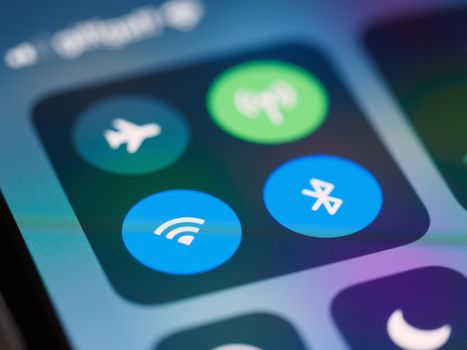
The Notes app has undergone improvements with iOS 18. You can now access your notes from the Control Center for faster jotting down of ideas. Just customize your Control Center and add the Notes shortcut for quick access anytime.
6. Find My Friends with Precision
With improved Precision Finding in the Find My app, locating friends and family is now easier than ever. Just tap on their name in the app, and you’ll receive detailed directions to their location, making meetups more seamless.
7. Improved Siri Shortcuts
Siri Shortcuts can now be created for more specific tasks. Whether it’s automating your morning routine or managing tasks in apps, head to Settings > Siri & Search to set up your personalized commands. This can save you time and streamline your day!
8. New Health Features: Mental Health Check-In
The Health app now includes a Mental Health section. Users can log their mood and reflect on their mental wellbeing. To access this, open the Health app, go to Browse, and explore the new mental health options that can help you track your emotional state.
9. Photos App: Improved Search
Searching for photos just got much easier with improved search capabilities in the Photos app. You can now search by multiple criteria like dates, locations, and even objects. Simply type in what you’re looking for in the search bar, and watch the magic happen!
10. Offline Maps in Apple Maps
Apple Maps now allows you to download maps for offline use. Before heading out on a trip, just select the area you want to download, go to the map settings, and download it for offline navigation. No more worrying about losing signal!
Conclusion: Discover iOS 18 Today!
These hidden features in iOS 18 can transform the way you use your device, making it more personalized and efficient. Dive in and start exploring these functionalities today. If you found this article helpful, share it with your friends and let them discover the magic of iOS 18 too!